
Join Global Medical Research on Android
Overview
UCSF Eureka Research is a free Android application developed by the UCSF Eureka Mobile Team, designed to empower individuals to contribute directly to transformative medical studies. The app serves as a bridge between everyday users and leading researchers at the University of California, San Francisco, enabling participation in large-scale, mobile-based clinical research. It focuses on critical health challenges including chronic pain, mental illness, diabetes, heart disease, and cancer—conditions affecting millions globally. By engaging users through their smartphones, the app facilitates real-time data collection and insights that could improve patient care and reduce healthcare costs.
The primary purpose of the software is to democratize research participation, allowing individuals to contribute meaningfully to scientific progress without requiring clinical access or specialized equipment. It is particularly suited for health-conscious individuals, patients managing chronic conditions, and volunteers interested in advancing medical knowledge. The app provides a direct line of communication with a team of medical researchers, fostering transparency and engagement. Real-world usage scenarios include daily symptom tracking, response to research surveys, and participation in longitudinal health studies—all from a personal Android device.
Key Features & Capabilities
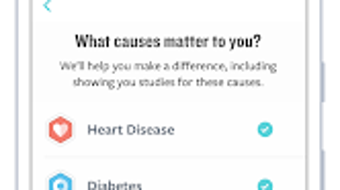
- Participation in Major Health Studies: Users can join ongoing research initiatives focused on chronic pain, mental health, diabetes, heart disease, and cancer, contributing data that helps shape future treatments.
- Direct Access to Researchers: The app connects participants with a team of medical professionals from UCSF, enabling open dialogue about health concerns and study-related questions.
- Mobile-First Data Collection: Real-time symptom logging and survey responses are collected via smartphone, ensuring continuous and accurate data flow for researchers.
- Secure and Anonymous Data Submission: All user data is submitted securely, with privacy preserved through anonymization protocols to protect participant identity.
- Progress Tracking and Engagement Tools: Users receive feedback on their contributions and may view aggregated insights from the research, enhancing motivation and long-term involvement.
These features support a seamless research experience, allowing users to contribute without in-person visits. For example, someone managing diabetes can log blood sugar levels and daily habits, helping researchers understand lifestyle impacts on disease progression. Similarly, individuals experiencing chronic pain can report symptom frequency and intensity, aiding in the development of more effective pain management strategies. The app’s structure encourages consistent engagement through accessible, daily interactions with the research process.
User Interface, Workflow & Performance
The user interface of UCSF Eureka Research is designed for clarity and ease of navigation, aligning with standard Android app conventions. The layout prioritizes accessibility, with intuitive icons, clear labeling, and a streamlined workflow that guides users through study enrollment, data entry, and communication with researchers. Navigation is primarily through a bottom tab bar, offering quick access to key sections such as active studies, personal health logs, and messages from the research team.
Workflow efficiency is enhanced by minimal input requirements and automated reminders for survey completion. The app supports background data syncing, ensuring that entries are preserved even when the device is offline. Performance observations are based on general software behavior patterns; no specific performance metrics were provided. The developer did not specify resource usage details, but the app’s 45.2 MB size suggests moderate system footprint. Stability appears consistent with typical Android applications of similar scope, though real-world performance may vary depending on device age and OS version.
Compatibility & System Requirements
UCSF Eureka Research is designed exclusively for Android devices. The app is compatible with Android OS versions that support the latest Google Play services, though specific version requirements were not listed. The installation size is 45.2 MB, which is relatively compact for a research application with interactive features and data storage capabilities.
Exact system requirements were not listed. The developer did not provide additional system requirements beyond the platform. Hardware specifications such as CPU, RAM, or storage capacity were not specified. Users are advised to ensure their Android device meets standard app compatibility standards for the Google Play Store. Platform compatibility information is limited to Android, with no support for iOS, Windows, or Mac systems.
Pros and Cons
Pros
- Free to download and use, removing financial barriers to research participation.
- Direct connection with medical researchers from a leading academic institution.
- Contributes to meaningful, large-scale health studies with global impact.
- Designed for Android with a lightweight 45.2 MB footprint.
- Encourages ongoing engagement through feedback and progress tracking.
Cons
- Currently limited to Android devices, excluding users of other platforms.
- Exact system requirements and compatibility details were not provided.
- No information on data retention policies or long-term data access for participants.
- May require consistent user input for optimal contribution to studies.
- App functionality is tied to active research projects, which may vary over time.
FAQ Section
Is UCSF Eureka Research available for iOS devices?
As of now, the app is only available for Android. There is no official version for iOS or other platforms.
Is the app secure and private?
The app uses secure data transmission and anonymization protocols to protect user privacy. However, specific security measures were not detailed in the provided information.
How often do I need to update the app?
Updates are released as needed to improve functionality and security. Users should keep the app updated through the Google Play Store for the best experience.
What kind of license does the app use?
UCSF Eureka Research is a free app provided at no cost. The licensing model is not specified beyond its free availability.
Can I use the app offline?
Yes, the app supports offline functionality for data entry. Submitted data will sync when the device reconnects to the internet.
Final Thoughts + CTA
UCSF Eureka Research stands out as a powerful tool for individuals who want to make a tangible difference in global health research. By turning everyday smartphone usage into a meaningful contribution, it offers a rare opportunity to participate in life-changing studies on chronic pain, mental health, diabetes, heart disease, and cancer. Its free access, direct researcher communication, and mobile-first design make it an accessible and impactful platform for health-conscious users and patients alike.
While limited to Android and lacking detailed system specifications, the app’s purpose-driven design and strong institutional backing from UCSF provide confidence in its credibility and mission. For those seeking to engage with medical science from their personal device, this app delivers a unique and valuable experience.
Download UCSF Eureka Research now and become part of the future of medicine.







